
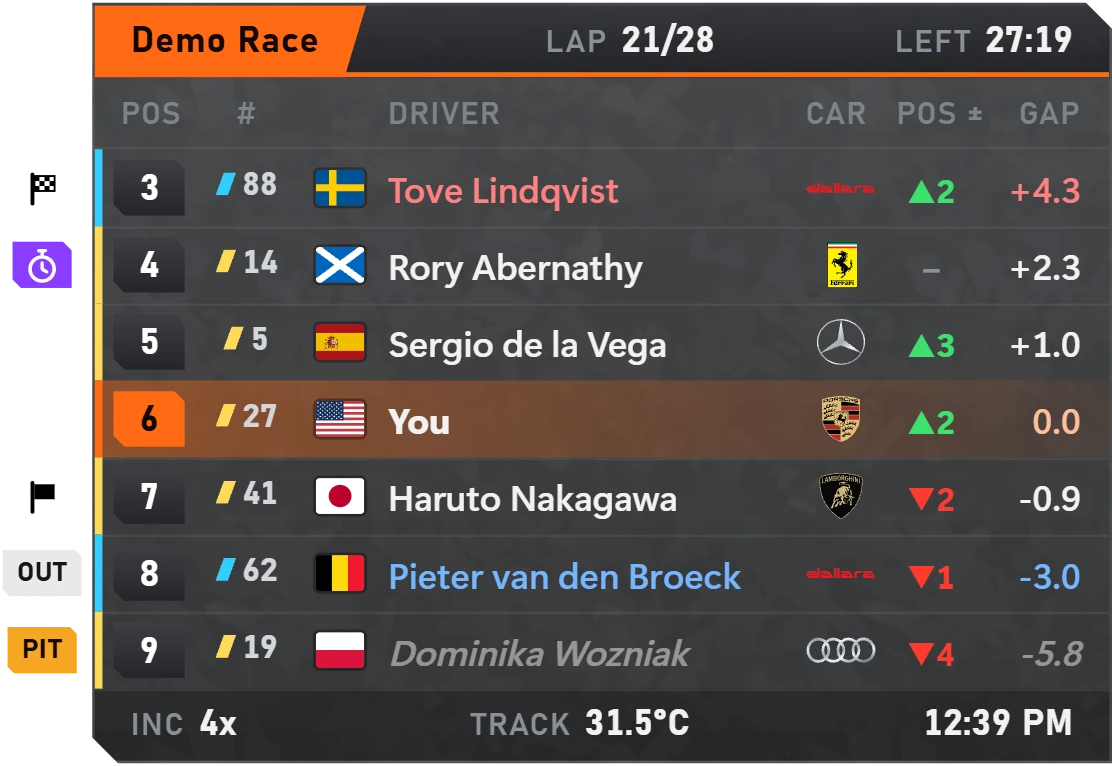
Relative
The cars around you on track with live gaps, class colours, licence and rating, and tags for the pits, out-laps, tows and flags.
Relative, standings, fuel, track map, radar and more, drawn over iRacing, Le Mans Ultimate and RaceRoom by a small native app that does no work you can't see. The same overlays go straight into OBS for your stream.
Each overlay is drawn from the sim's own data, sized and placed where you want it, and hidden when there's nothing to show.
The cars around you on track with live gaps, class colours, licence and rating, and tags for the pits, out-laps, tows and flags.
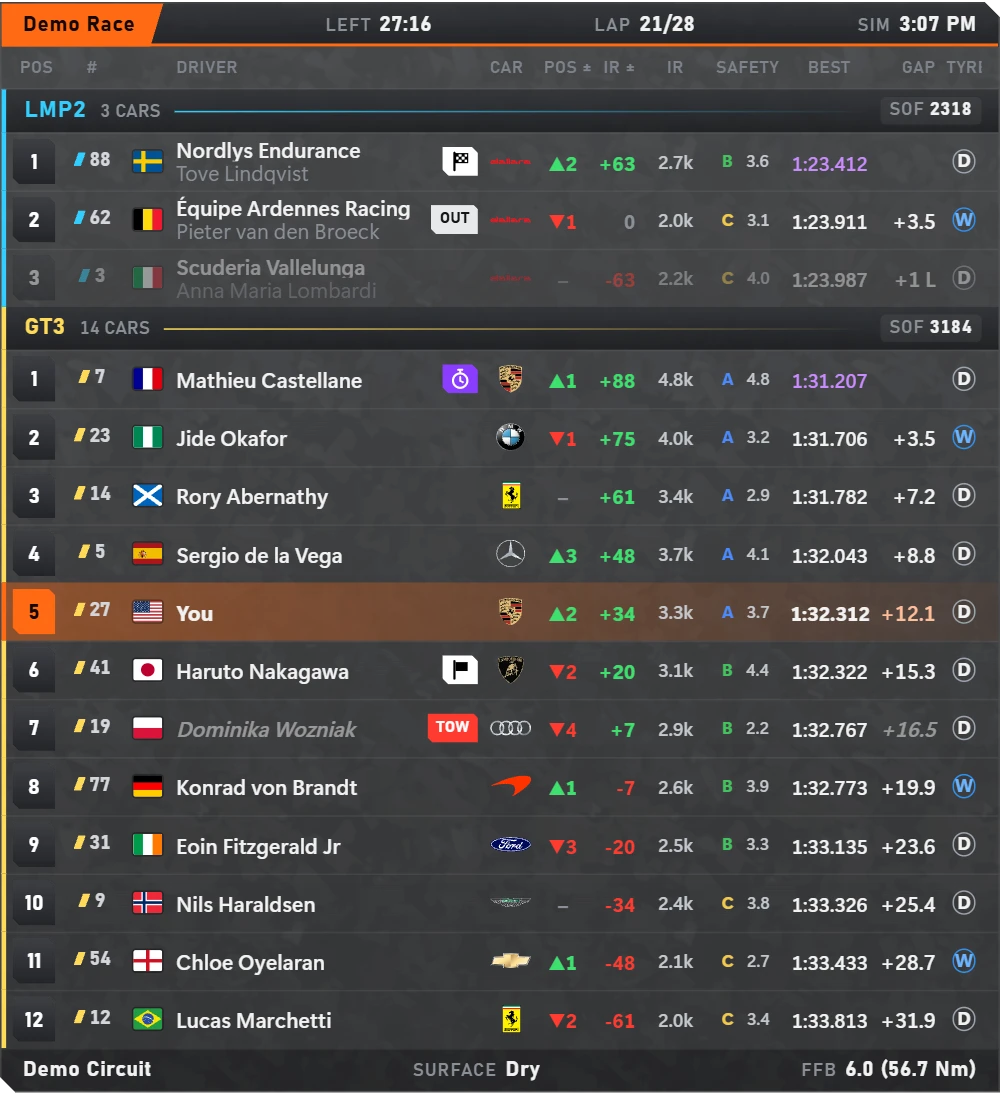
The whole field by class, with strength of field, rating gained or lost, best laps, and the order as it really is on track.


Throttle, brake and steering traces with gear, speed, shift lights and brake bias, and your delta to your best lap.
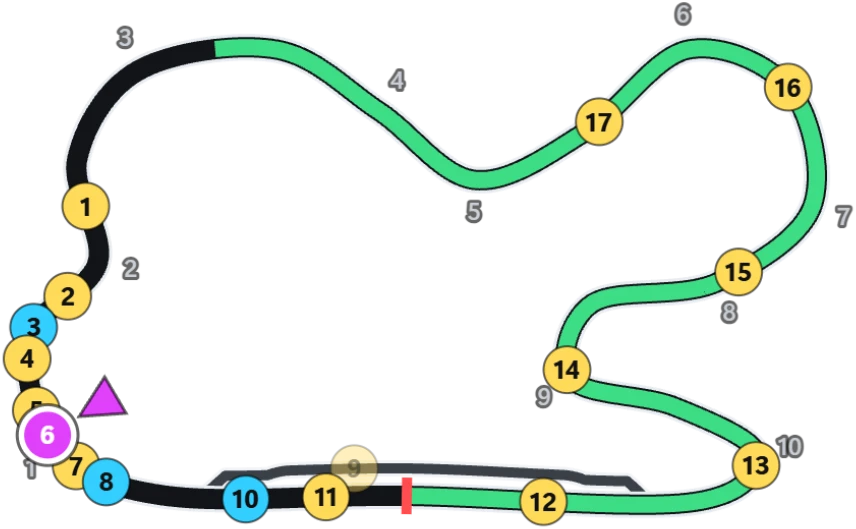
Every car on the circuit's real shape, coloured by class, yours marked.
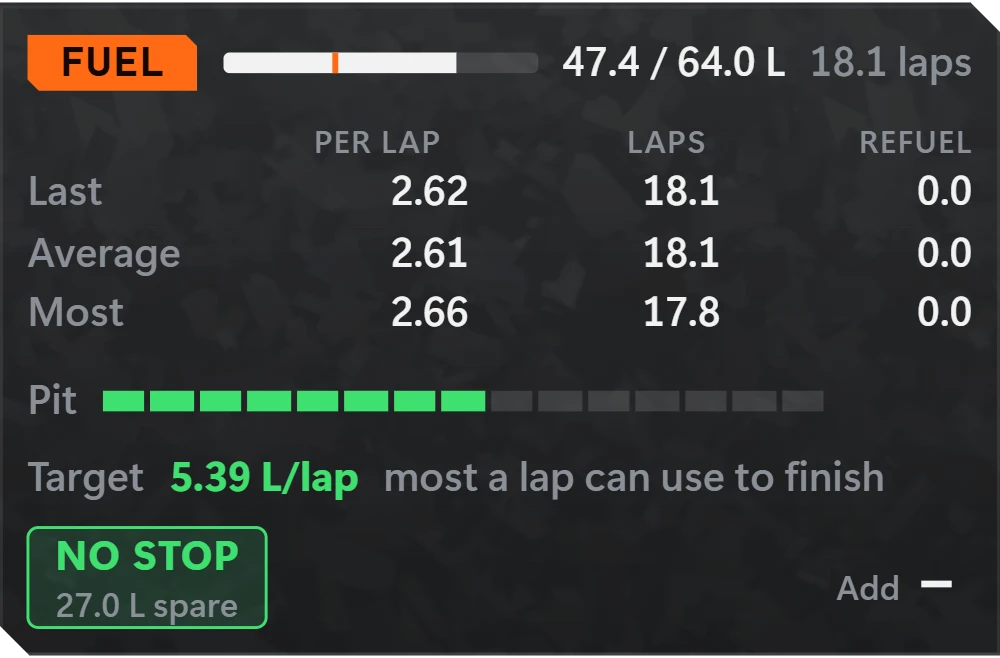
Per lap, laps left, what to add at the stop, and the most a lap can use to make the finish.
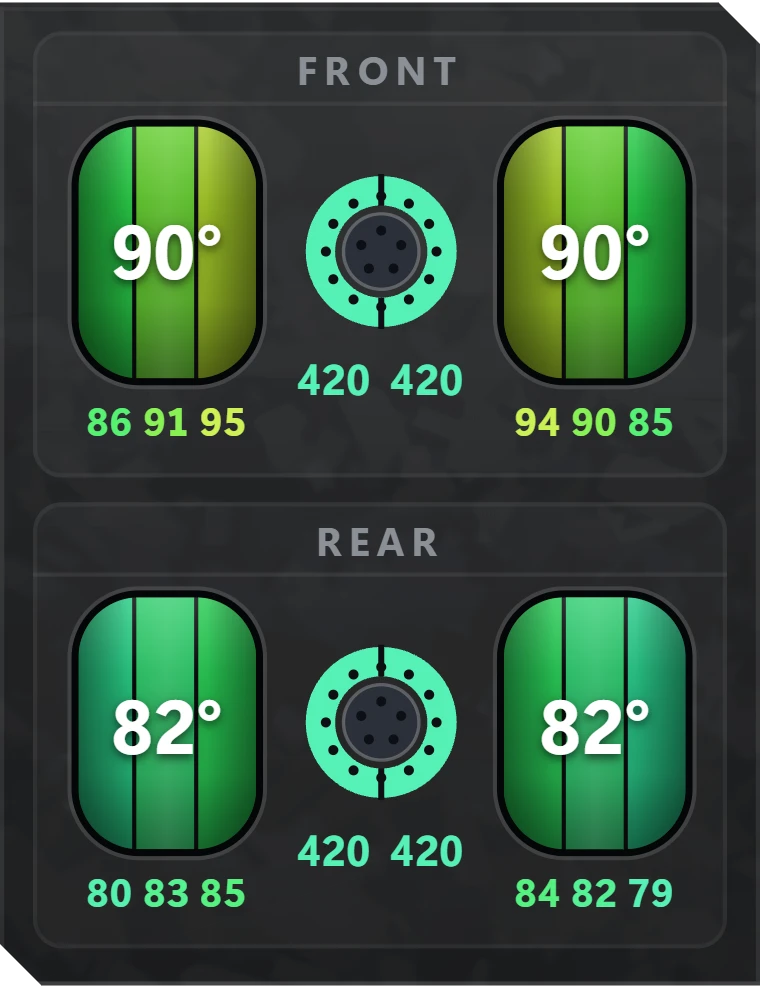
Tyre and brake temperatures and pressures, in three styles.
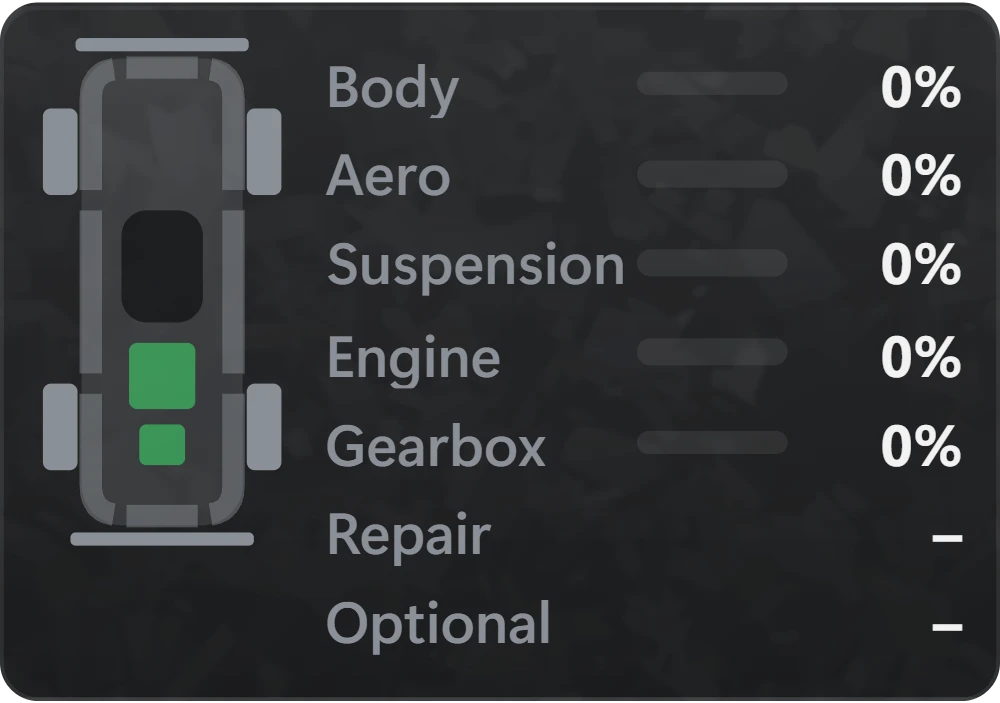
Where the car is hurt and how badly, so you know whether to pit.
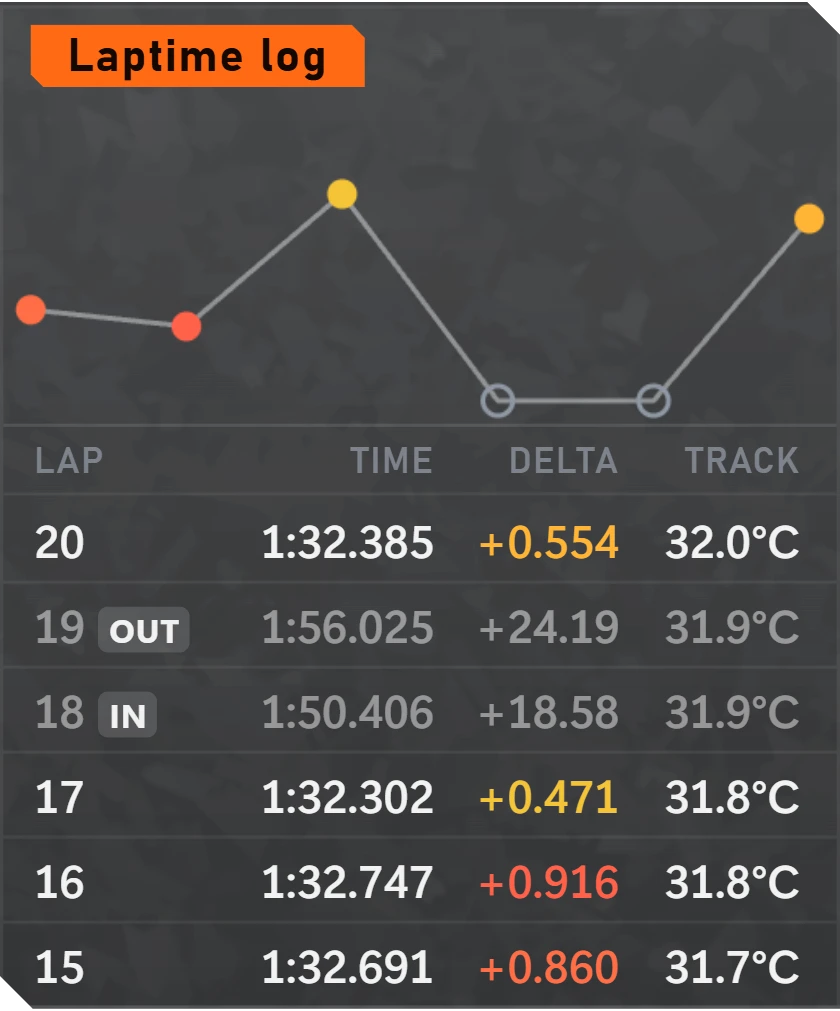
Every lap you've done against your best, with a graph of the stint.
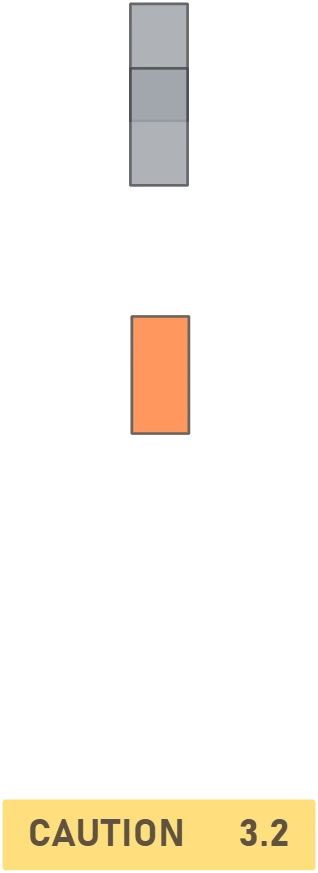
Cars alongside and closing in, before your mirrors show them.
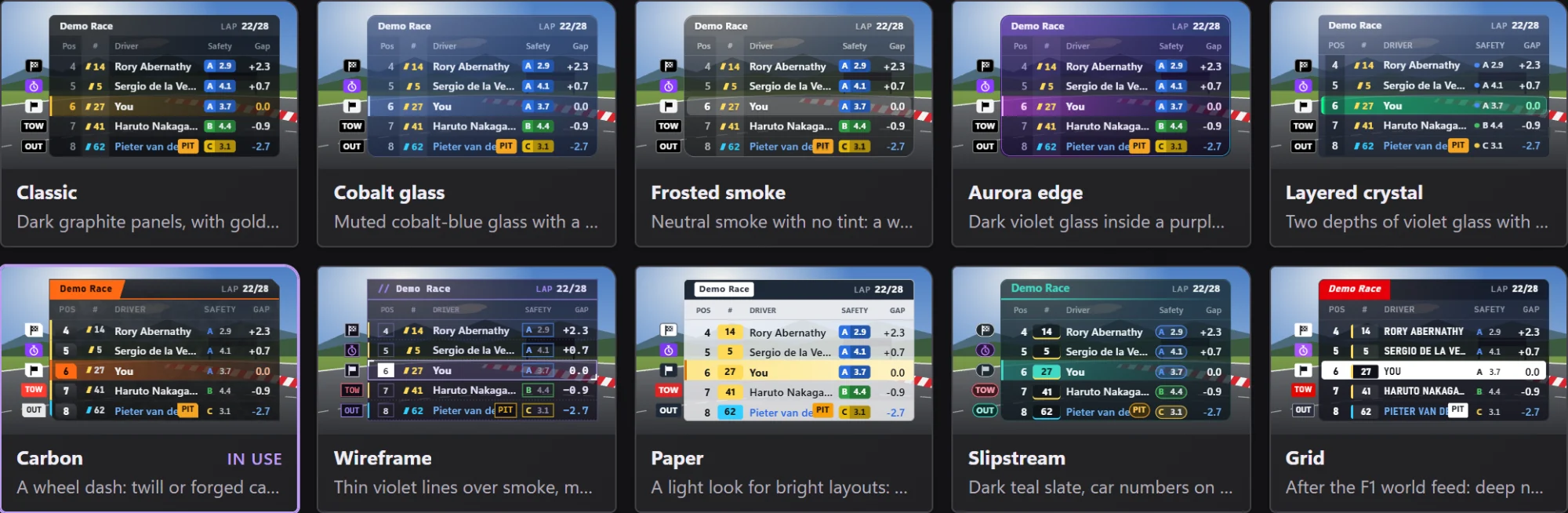
Classic graphite, four kinds of glass, Carbon, Wireframe, Paper, Slipstream and Grid. Pick one and every overlay changes at once, on screen and in OBS, then tune its colours, corners and borders.
Your screen and your stream don't have to match. Put the overlays where they help you drive, and lay out a different set for your viewers.
Each overlay in its own window, or a whole canvas across your monitors. Unlock to drag and scale, lock and they're click-through.
One address per overlay or canvas. The same overlays, drawn the same way, with nothing extra to install.
Viewers see a cover over your setup screen. You still see the setup.
Twitch and YouTube chat in one list, so you can read it without leaving the sim.
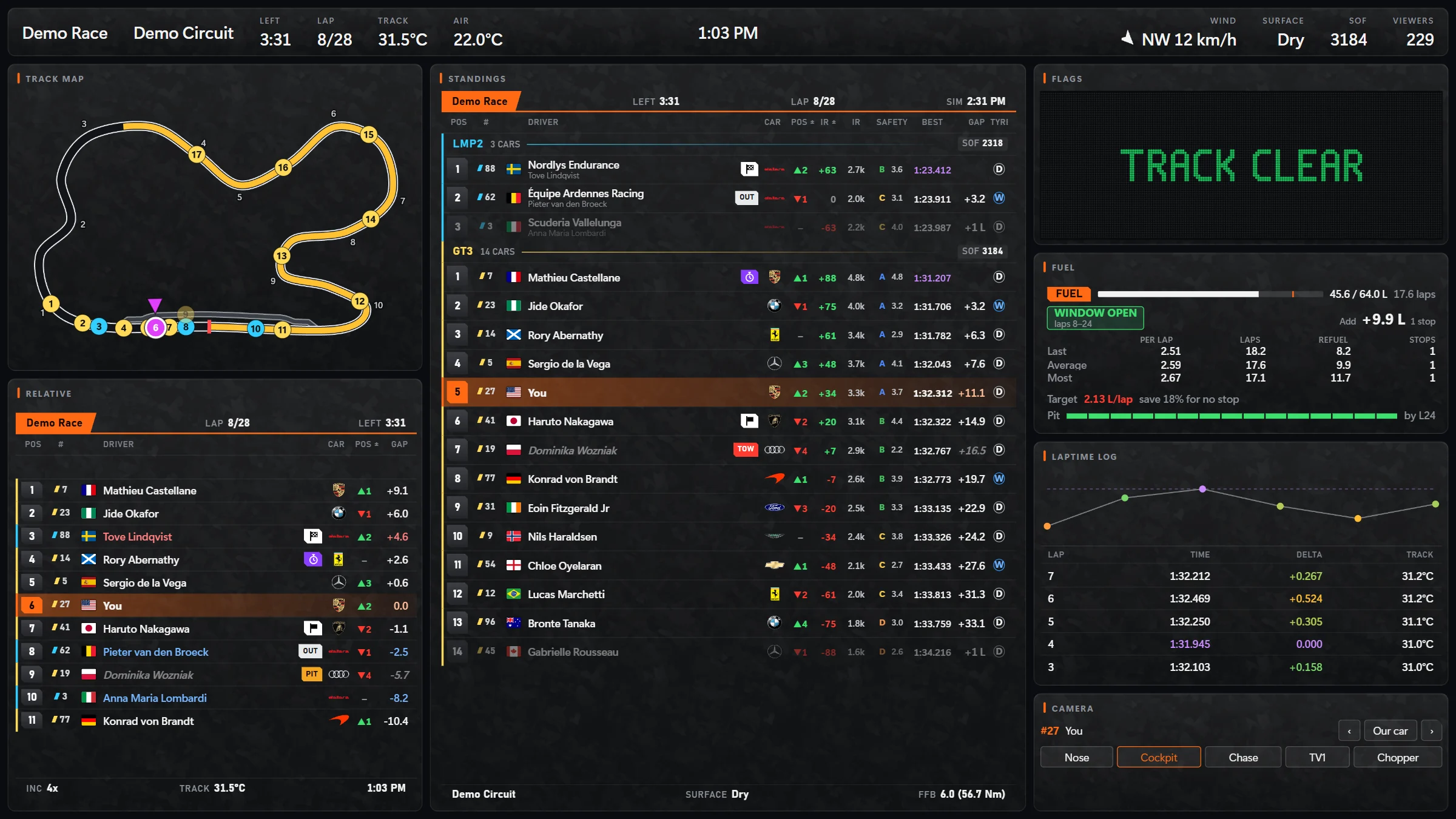
Fill a spare monitor with panels: standings, relative, track map, fuel, flags, the lap log and the sim's cameras, under a strip of session readouts. Lay it out by dragging, keep a layout for each job (racing, spotting, strategy, the stream), and switch it on for other devices to hand a tablet to your spotter.
AzRaceHub was built by a driver racing on triple screens and streaming from the same PC, where every frame counts. So it follows a few rules.
An overlay that isn't showing isn't running. Nothing is drawn or worked out for it.
Data goes to an overlay only when it changes, and only data some overlay is showing.
No heavy blurs, big shadows or animations that never stop, and nothing redrawn faster than you can see.
A Rust app reading the sim's shared memory, with overlays drawn by the WebView already in Windows.
 Free
A SimHub plugin that puts a replica of each car's real dash on your wheel screen and switches to the right one when you get in the car. Or build your own with Az Apex.
Meet AzDashboard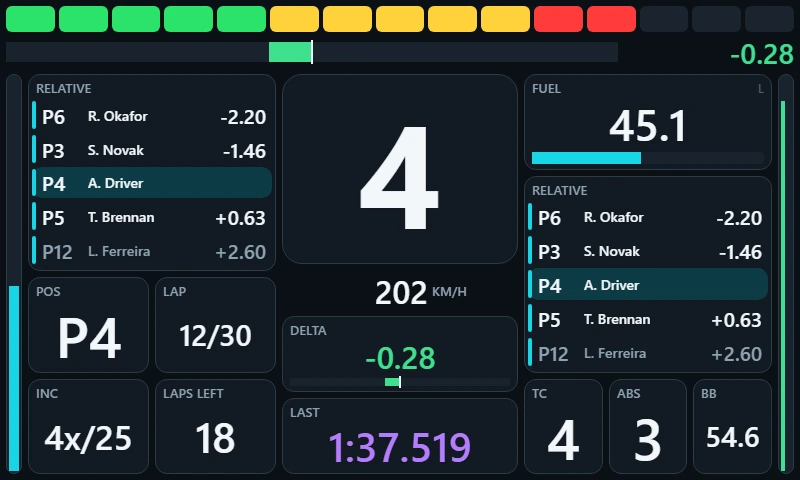
AzRaceHub is in early access, with keys handed out to teams and testers. Public release and pricing are on the way.